

This guide covers Langchain JavaScript/TypeScript. For Python, see Langchain Python.
Quick Start
Add Portkey to any Langchain app with 3 parameters: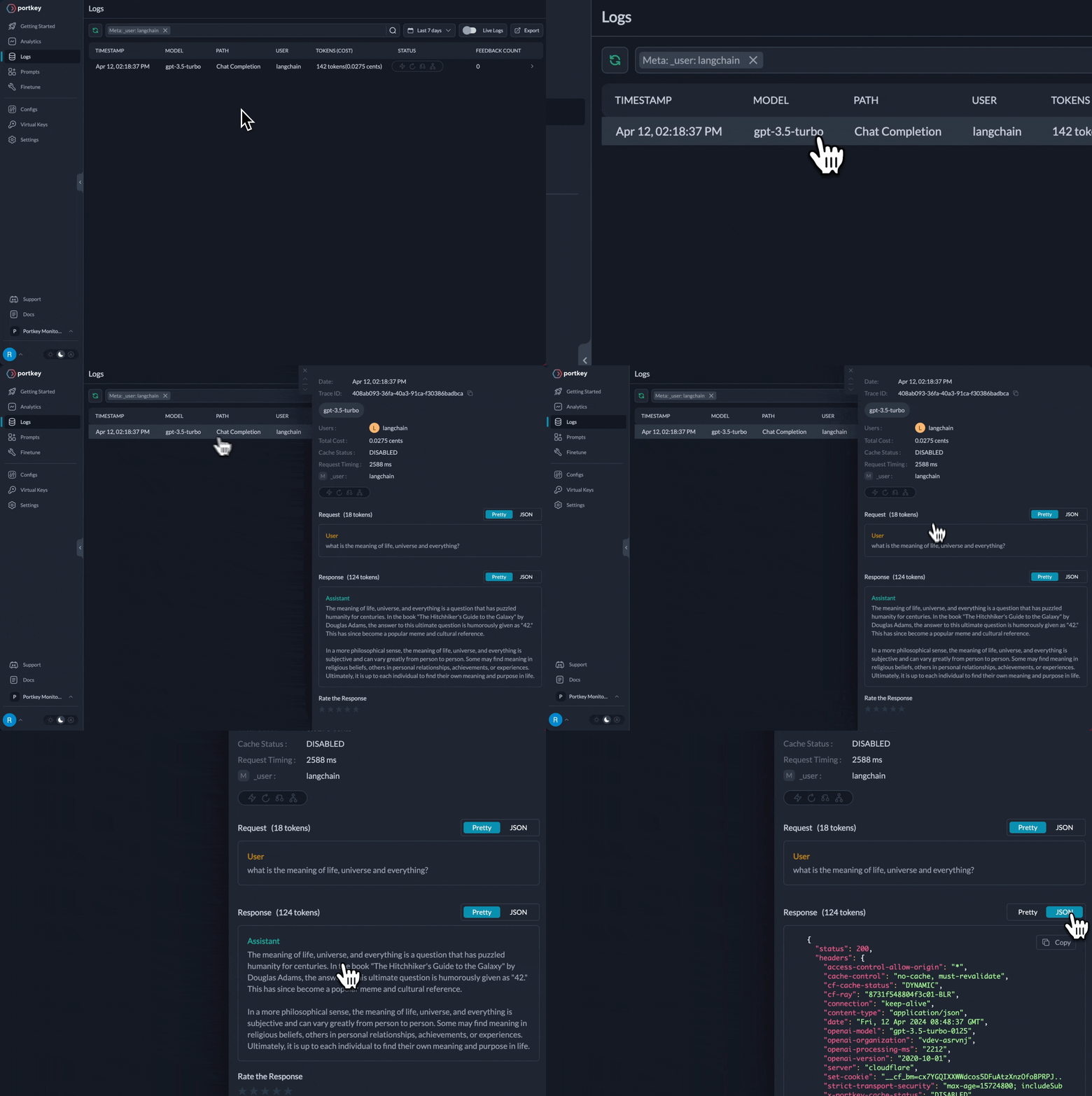
All requests now appear in Portkey logs
- ✅ Full observability (costs, latency, logs)
- ✅ Dynamic model selection per request
- ✅ Automatic fallbacks and retries (via configs)
- ✅ Budget controls per team/project
Why Add Portkey to Langchain?
Langchain handles application orchestration. Portkey adds production features:Enterprise Observability
Every request logged with costs, latency, tokens. Team-level analytics and debugging.
Dynamic Model Selection
Switch models per request. Route simple queries to cheap models, complex to advanced—automatically tracked.
Production Reliability
Automatic fallbacks, smart retries, load balancing—configured once, works everywhere.
Cost & Access Control
Budget limits per team/project. Rate limiting. Centralized credential management.
Setup
1. Install Packages
2. Add Provider in Model Catalog
- Go to Model Catalog → Add Provider
- Select your provider (OpenAI, Anthropic, Google, etc.)
- Choose existing credentials or create new by entering your API keys
- Name your provider (e.g.,
openai-prod)
@openai-prod (or whatever you named it).
Complete Model Catalog Guide →
Set up budgets, rate limits, and manage credentials
3. Get Portkey API Key
Create your Portkey API key at app.portkey.ai/api-keys4. Use in Your Code
Replace your existingChatOpenAI initialization:
Switching Between Providers
Just change the model string—everything else stays the same:Portkey implements OpenAI-compatible APIs for all providers, so you always use
ChatOpenAI regardless of which model you’re calling.Using with Langchain Agents
Langchain agents are the primary use case. Portkey works seamlessly with agent workflows:- Model calls with prompts and responses
- Tool executions with inputs and outputs
- Full trace of the agent’s reasoning
- Costs and latency for each step
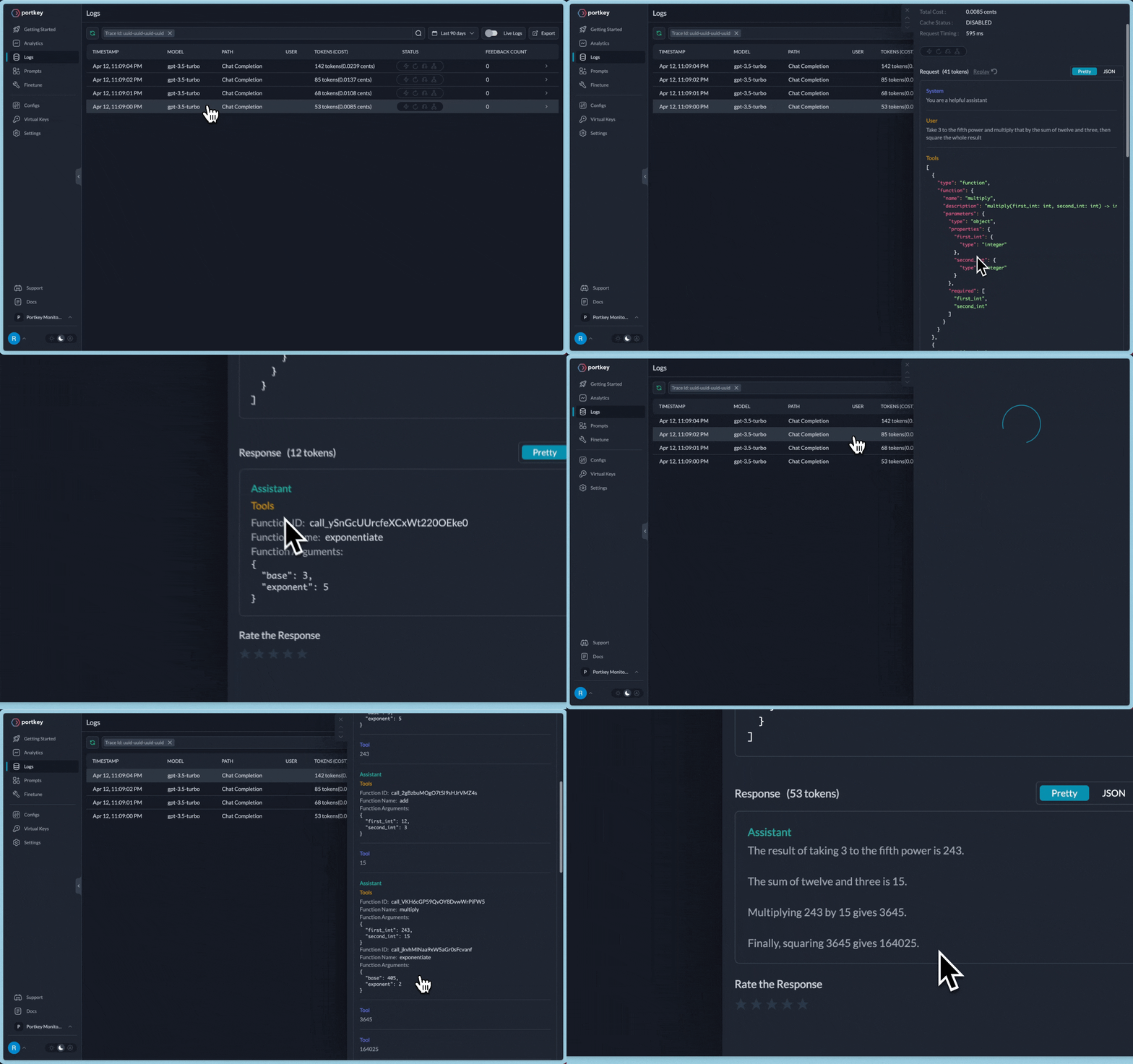
Agent traces in Portkey
Works With All Langchain Features
✅ Agents - Full compatibility with LangGraph agents✅ LCEL - LangChain Expression Language
✅ Chains - All chain types supported
✅ Streaming - Token-by-token streaming
✅ Tool Calling - Function/tool calling
✅ LangGraph - Complex workflows
Streaming
Chains & Prompts
Tool Calling
Dynamic Model Selection
For dynamic model routing based on query complexity or task type, use Portkey Configs with conditional routing:Conditional Routing Guide →
Learn more about conditional routing and advanced patterns
Advanced Features via Configs
For production features like fallbacks, caching, and load balancing, use Portkey Configs:Example: Load Balancing
Learn About Configs →
Set up fallbacks, retries, caching, load balancing, and more
Embeddings
Create embeddings via Portkey:Portkey supports OpenAI embeddings via
OpenAIEmbeddings. For other providers (Cohere, Voyage), use the Portkey SDK directly (docs).Migration from Direct OpenAI
Already using Langchain with OpenAI? Just update 3 parameters:- Zero code changes to your existing Langchain logic
- Instant observability for all requests
- Production-grade reliability features
- Cost controls and budgets
Next Steps
Model Catalog
Set up providers, budgets, and access control
Configs
Configure fallbacks, caching, and routing
Observability
Track costs, performance, and usage
Guardrails
Add PII detection and content filtering
SDK Reference
Complete Portkey SDK documentation