

Introduction
Mastra is a TypeScript framework for building AI agents with tools, workflows, memory, and evaluation scoring. Portkey enhances Mastra agents with observability, reliability, and production-readiness features. Portkey turns your experimental Mastra agents into production-ready systems by providing:- Complete observability of every agent step, tool use, and interaction
- Built-in reliability with fallbacks, retries, and load balancing
- Cost tracking and optimization to manage your AI spend
- Access to 1600+ LLMs through a single integration
- Guardrails to keep agent behavior safe and compliant
- Version-controlled prompts for consistent agent performance
Mastra Official Documentation
Installation & Setup
Install the required packages
Generate API Key
Set Up Provider Integration
- Go to Integrations in Portkey
- Connect your LLM provider (OpenAI, Anthropic, etc.)
- Note your provider slug (e.g.,
openai-dev,anthropic-prod)
Configure Mastra Agent with Portkey
openai/@provider-slug@model-name because Mastra uses OpenAI-compatible interfaces under the hood. The @provider-slug should match the slug from your Portkey integration.Production Features
1. Enhanced Observability
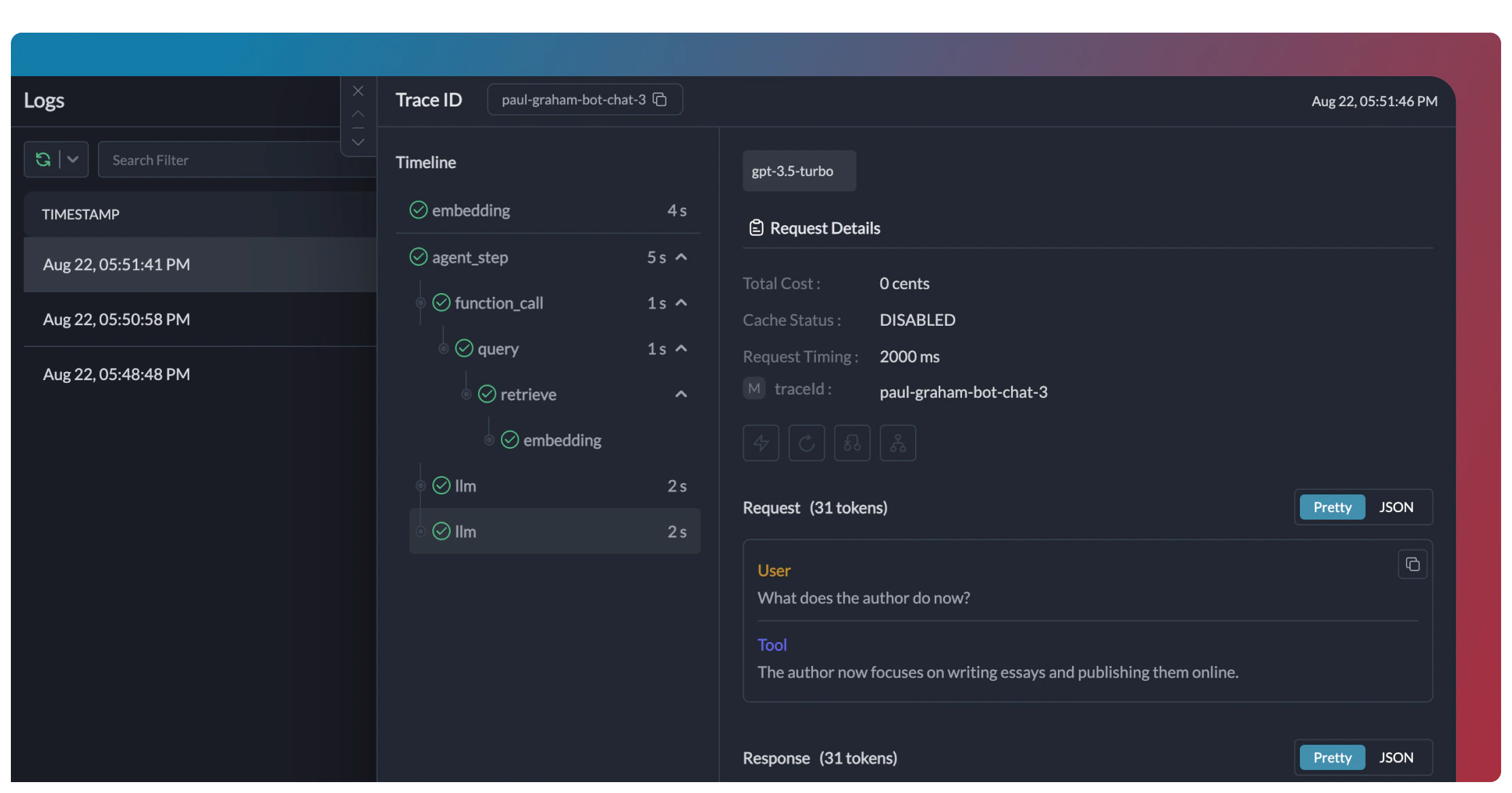
Portkey provides comprehensive observability for your Mastra agents, helping you understand exactly what’s happening during each execution.- Traces
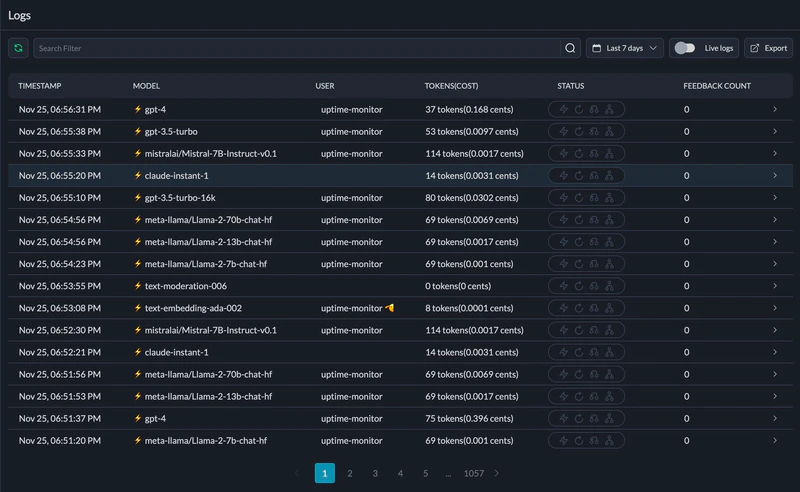
- Logs
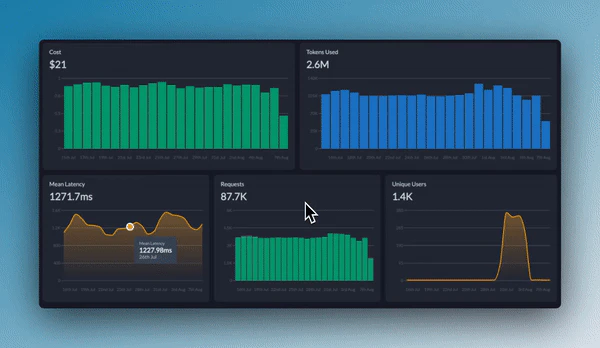
- Metrics & Dashboards
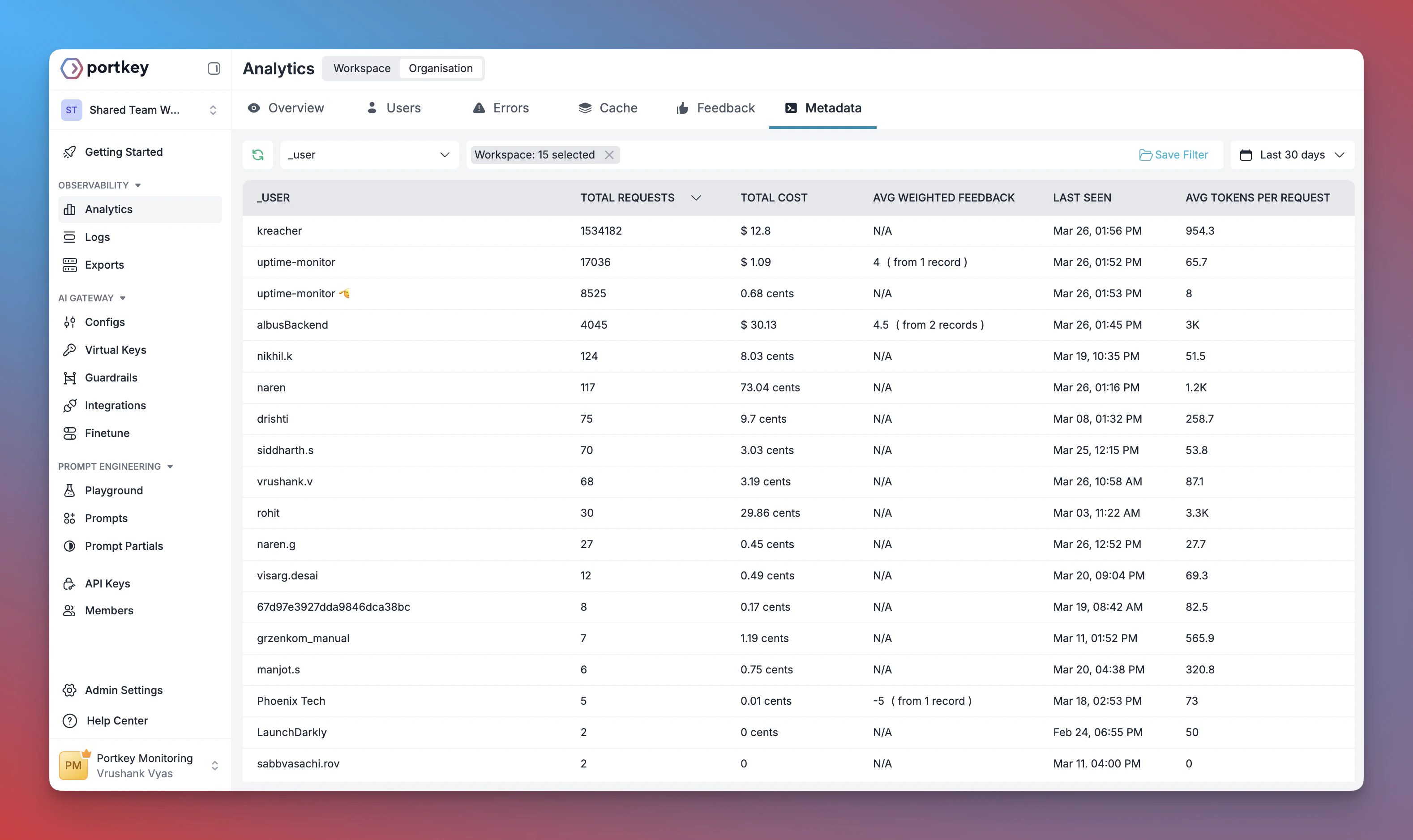
- Metadata Filtering
2. Reliability - Keep Your Agents Running Smoothly
When running agents in production, things can go wrong - API rate limits, network issues, or provider outages. Portkey’s reliability features ensure your agents keep running smoothly even when problems occur. It’s this simple to enable fallback in your Mastra agents:Automatic Retries
Request Timeouts
Conditional Routing
Fallbacks
Load Balancing
3. Prompting in Mastra Agents
Portkey’s Prompt Engineering Studio helps you create, manage, and optimize the prompts used in your Mastra agents. Instead of hardcoding prompts or instructions, use Portkey’s prompt rendering API to dynamically fetch and apply your versioned prompts.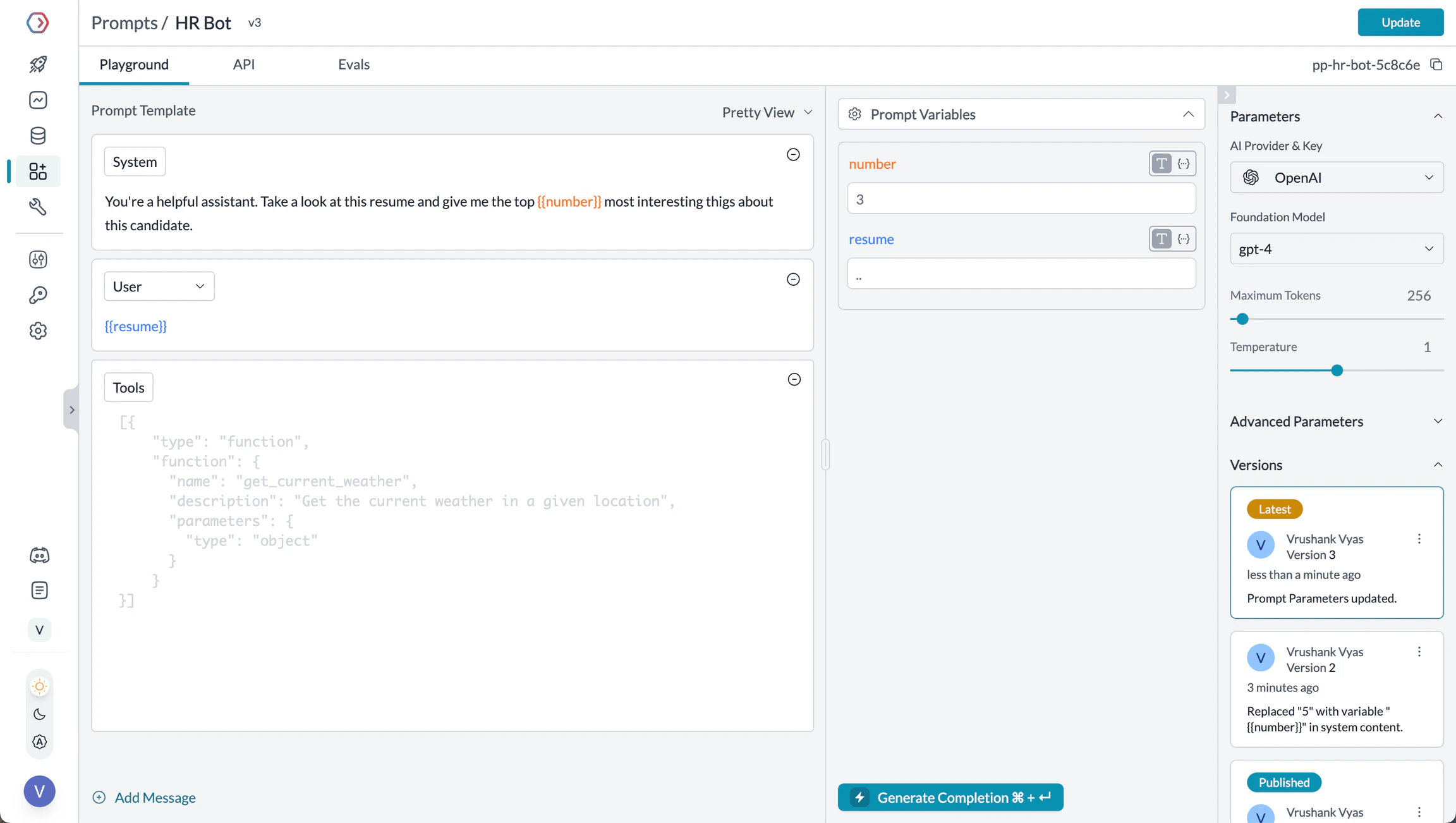
Manage prompts in Portkey's Prompt Library
- Prompt Playground
- Using Prompt Templates
- Prompt Versioning
- Mustache Templating for variables
- Iteratively develop prompts before using them in your agents
- Test prompts with different variables and models
- Compare outputs between different prompt versions
- Collaborate with team members on prompt development
Prompt Engineering Studio
4. Guardrails for Safe Agents
Guardrails ensure your Mastra agents operate safely and respond appropriately in all situations. Why Use Guardrails? Mastra agents can experience various failure modes:- Generating harmful or inappropriate content
- Leaking sensitive information like PII
- Hallucinating incorrect information
- Generating outputs in incorrect formats
- Detect and redact PII in both inputs and outputs
- Filter harmful or inappropriate content
- Validate response formats against schemas
- Check for hallucinations against ground truth
- Apply custom business logic and rules
Learn More About Guardrails
5. User Tracking with Metadata
Track individual users through your Mastra agents using Portkey’s metadata system. What is Metadata in Portkey? Metadata allows you to associate custom data with each request, enabling filtering, segmentation, and analytics. The special_user field is specifically designed for user tracking.
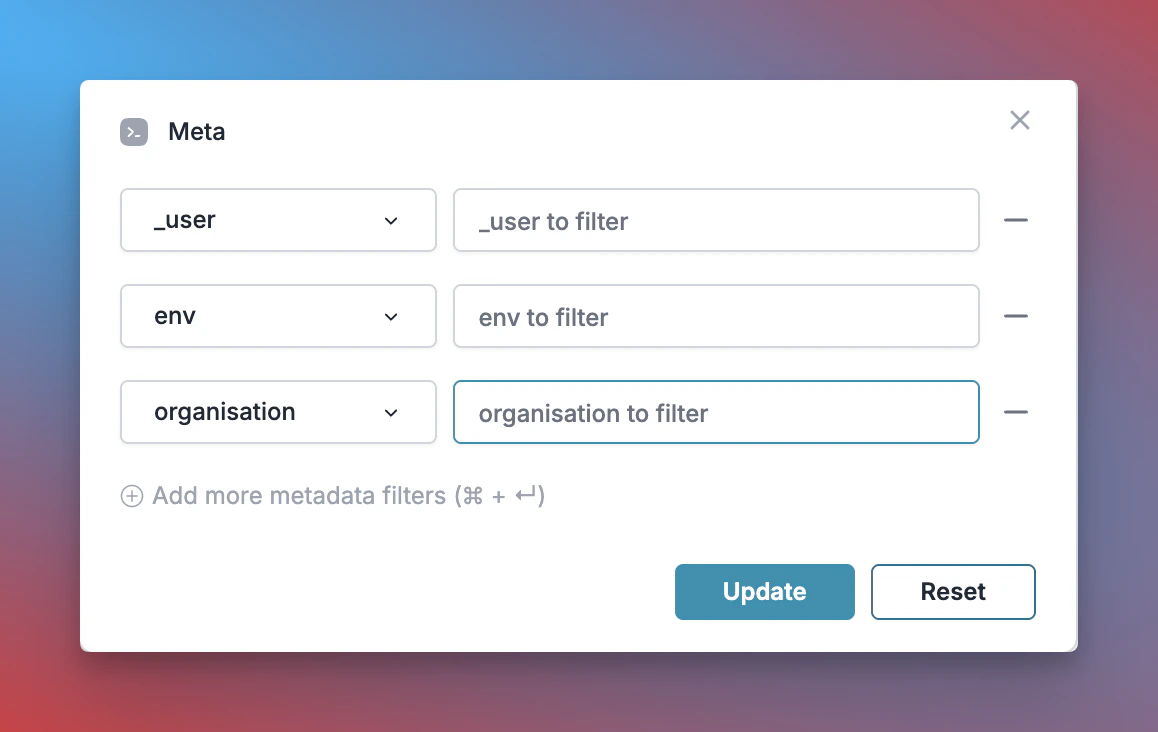
Filter analytics by user
- Per-user cost tracking and budgeting
- Personalized user analytics
- Team or organization-level metrics
- Environment-specific monitoring (staging vs. production)
Learn More About Metadata
6. Caching for Efficient Agents
Implement caching to make your Mastra agents more efficient and cost-effective:- Simple Caching
- Semantic Caching
7. Model Interoperability
With Portkey, you can easily switch between different LLMs in your Mastra agents without changing your core agent logic.- OpenAI (GPT-4o, GPT-4 Turbo, etc.)
- Anthropic (Claude 3.5 Sonnet, Claude 3 Opus, etc.)
- Mistral AI (Mistral Large, Mistral Medium, etc.)
- Google Vertex AI (Gemini 1.5 Pro, etc.)
- Cohere (Command, Command-R, etc.)
- AWS Bedrock (Claude, Titan, etc.)
- Local/Private Models
Supported Providers
Set Up Enterprise Governance for Mastra Agents
Why Enterprise Governance? If you are using Mastra agents inside your organization, you need to consider several governance aspects:- Cost Management: Controlling and tracking AI spending across teams
- Access Control: Managing which teams can use specific models
- Usage Analytics: Understanding how AI is being used across the organization
- Security & Compliance: Maintaining enterprise security standards
- Reliability: Ensuring consistent service across all users
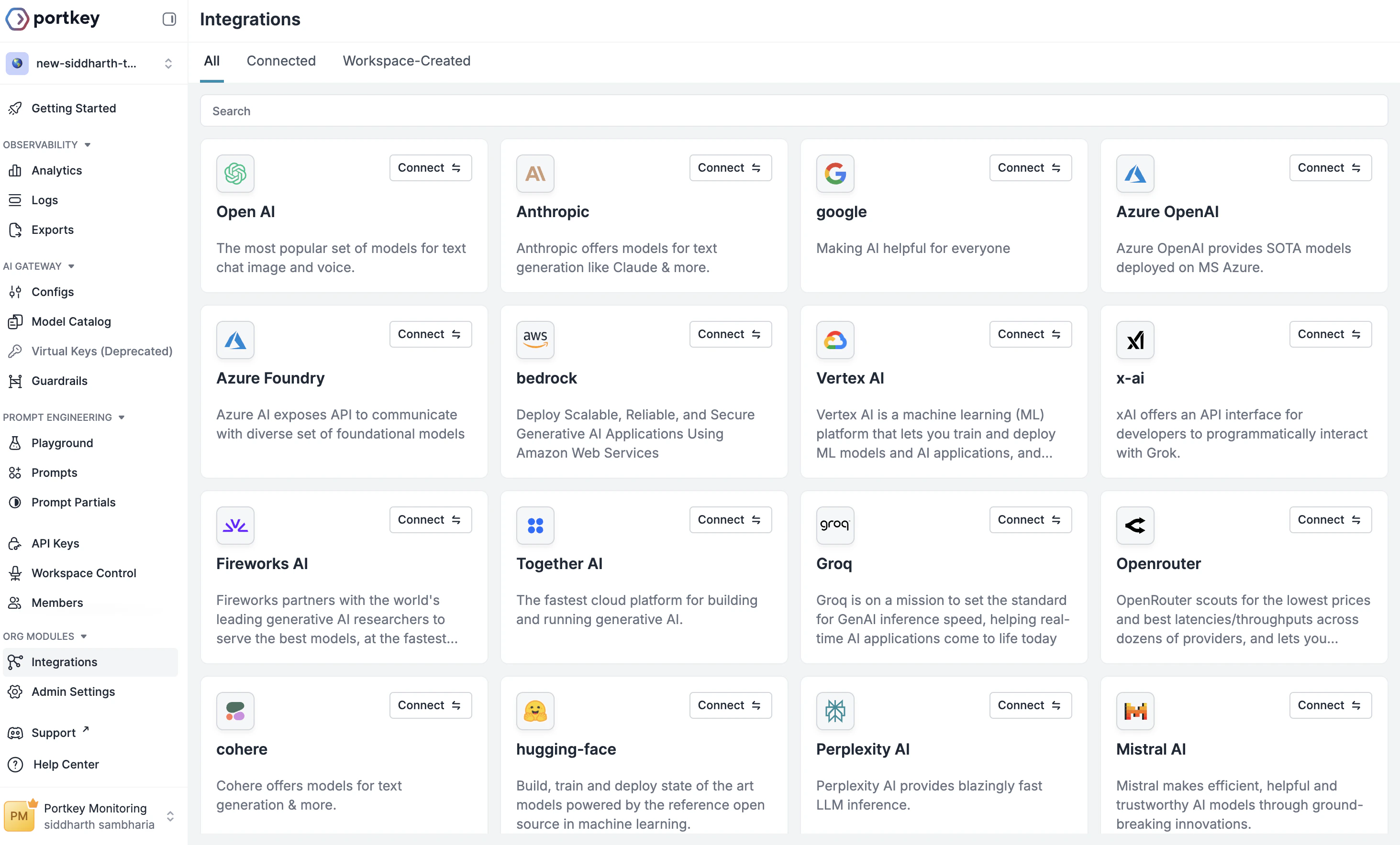
Create Integration
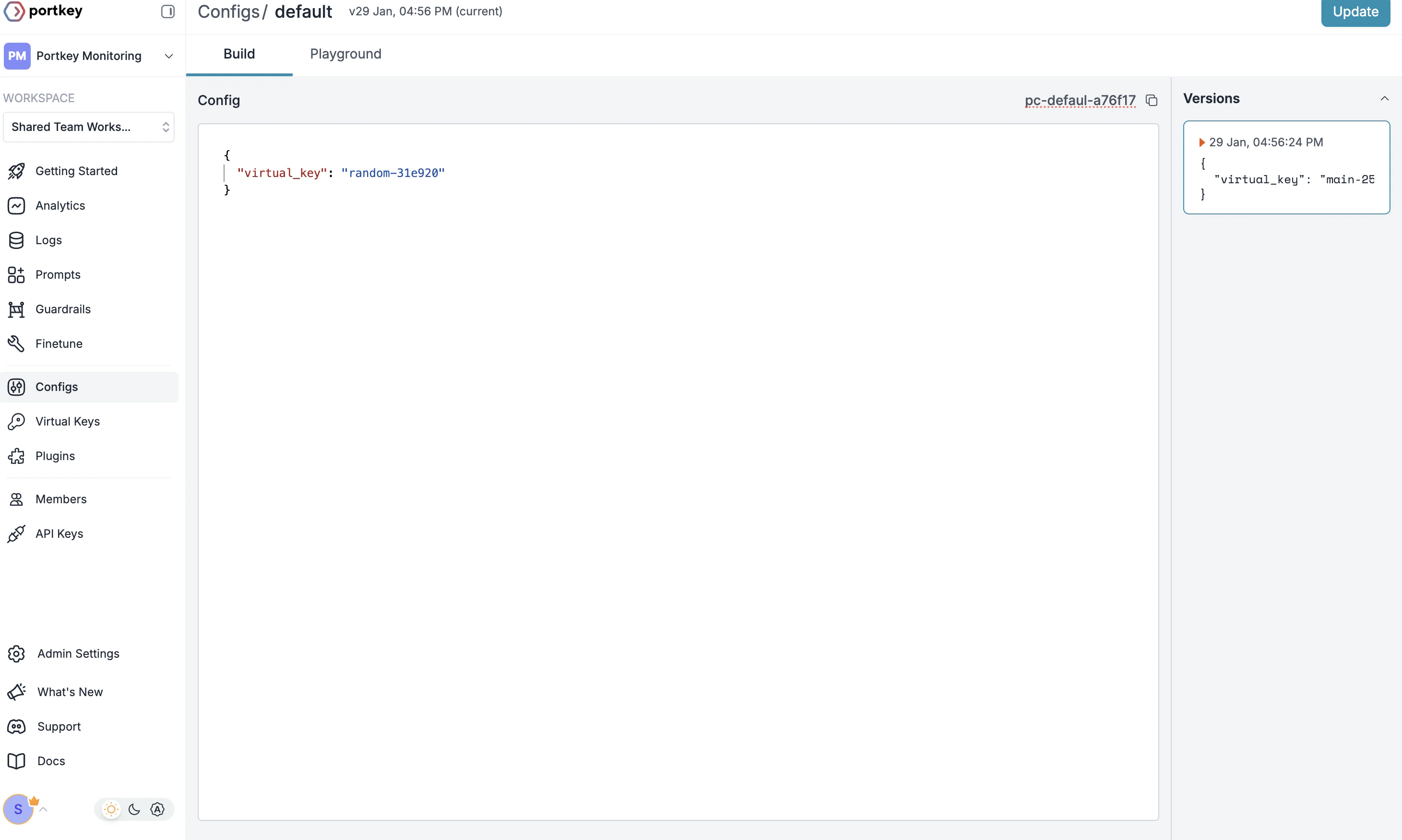
Create Config
- Go to Configs in Portkey dashboard
- Create new config with:
- Save and note the Config ID for the next step
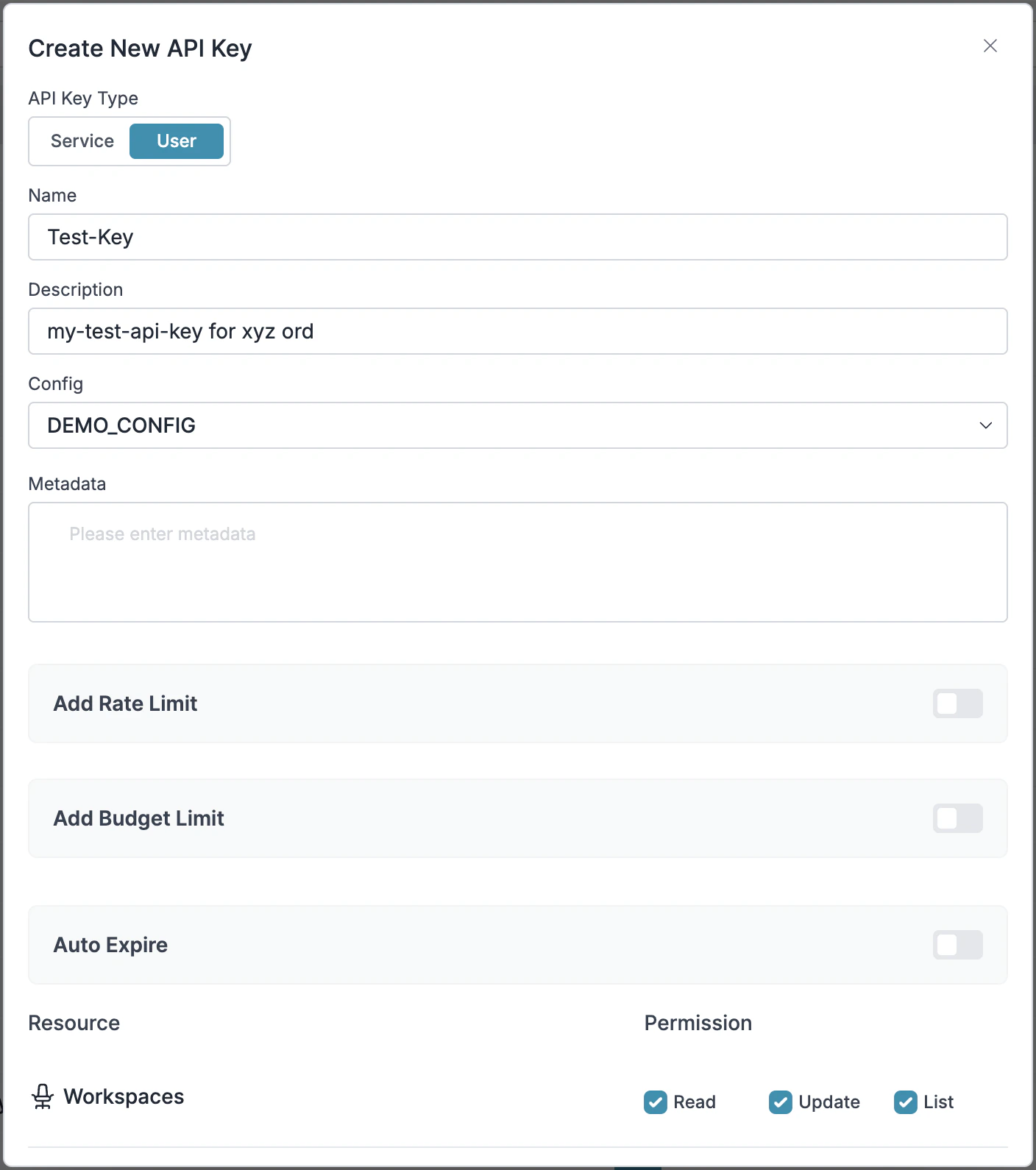
Configure Portkey API Key
- Go to API Keys in Portkey and Create new API key
- Select your config from Step 2
- Generate and save your API key
Connect to Mastra
Step 1: Implement Budget Controls & Rate Limits
Step 1: Implement Budget Controls & Rate Limits
Step 1: Implement Budget Controls & Rate Limits
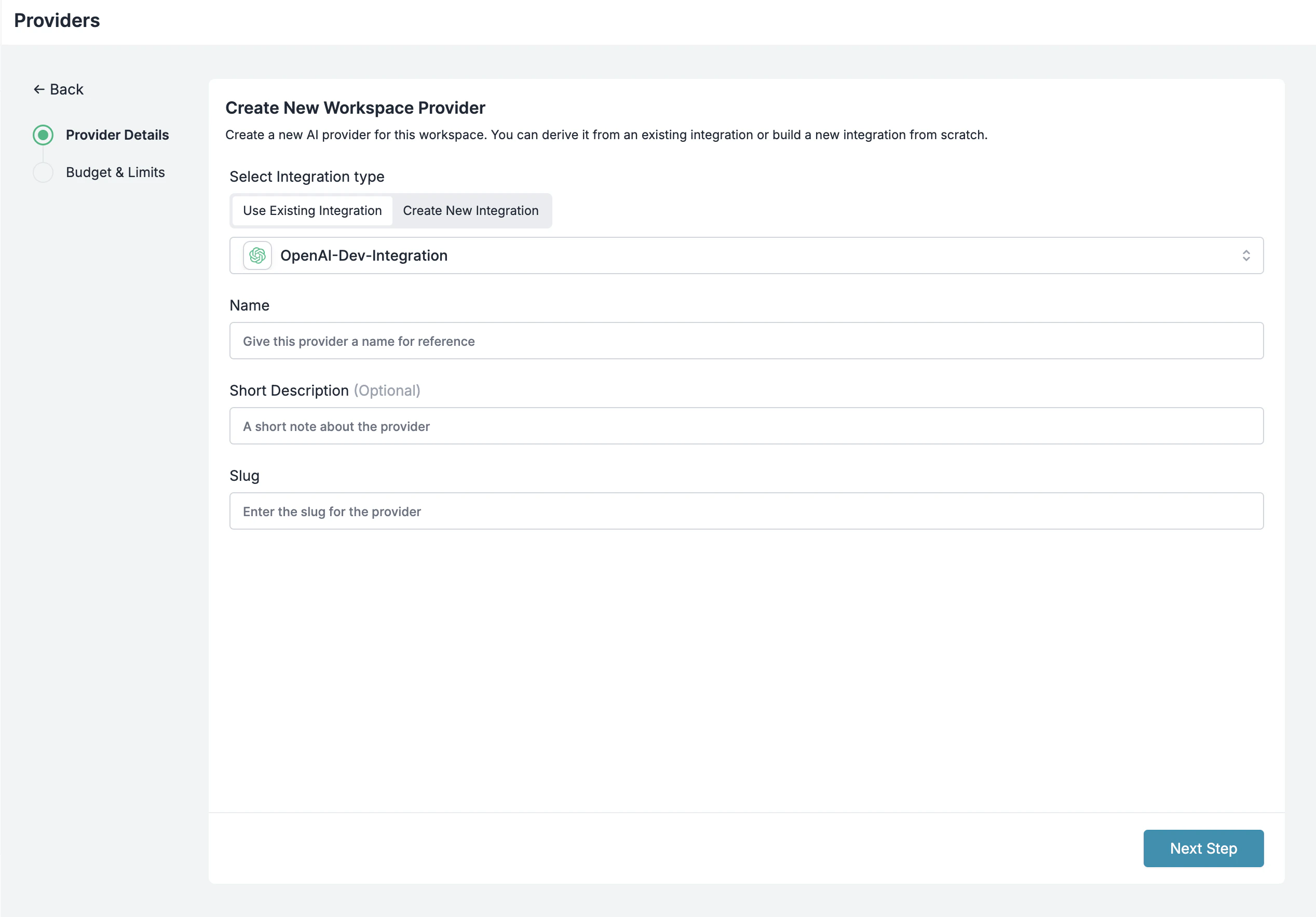
Integrations enable granular control over LLM access at the team/department level. This helps you:- Set up budget limits
- Prevent unexpected usage spikes using Rate limits
- Track departmental spending
Setting Up Department-Specific Controls:
- Navigate to Integrations in Portkey dashboard and create a new Integration
- Provision this Integration for each department with their budget limits and rate limits
- Configure model access if required
Step 2: Define Model Access Rules
Step 2: Define Model Access Rules
Step 2: Define Model Access Rules
As your AI usage scales, controlling which teams can access specific models becomes crucial. Portkey Configs provide this control layer with features like:Access Control Features:
- Model Restrictions: Limit access to specific models
- Data Protection: Implement guardrails for sensitive data
- Reliability Controls: Add fallbacks and retry logic
Example Configuration:
Here’s a basic configuration to route requests to OpenAI, specifically using GPT-4o:Step 3: Implement Access Controls
Step 3: Implement Access Controls
Step 3: Implement Access Controls
Create User-specific API keys that automatically:- Track usage per user/team with the help of metadata
- Apply appropriate configs to route requests
- Collect relevant metadata to filter logs
- Enforce access permissions
Step 4: Deploy & Monitor
Step 4: Deploy & Monitor
Step 4: Deploy & Monitor
After distributing API keys to your team members, your enterprise-ready Mastra setup is ready to go. Each team member can now use their designated API keys with appropriate access levels and budget controls.Apply your governance setup using the integration steps from earlier sections. Monitor usage in Portkey dashboard:- Cost tracking by department
- Model usage patterns
- Request volumes
- Error rates
Enterprise Features Now Available
Mastra agents now has:- Departmental budget controls
- Model access governance
- Usage tracking & attribution
- Security guardrails
- Reliability features
Frequently Asked Questions
How does Portkey enhance Mastra agents?
How does Portkey enhance Mastra agents?
Can I use Portkey with existing Mastra agents?
Can I use Portkey with existing Mastra agents?
Does Portkey work with all Mastra features?
Does Portkey work with all Mastra features?
Why does the model ID use 'openai/' prefix?
Why does the model ID use 'openai/' prefix?
openai/@provider-slug@model-name. This allows Mastra to work with any LLM provider through Portkey, not just OpenAI. The @provider-slug corresponds to your Portkey integration slug.How do I filter logs and traces for specific agent runs?
How do I filter logs and traces for specific agent runs?
agent_name, agent_type, or session_id to easily find and analyze specific agent executions.Can I use different LLM providers for different agents?
Can I use different LLM providers for different agents?
openai/@openai-provider@gpt-4o for one agent and openai/@anthropic-provider@claude-3-opus-20240229 for another. All agents route through Portkey.Resources
Mastra Docs
Official Mastra documentation
Mastra Examples
Example implementations for various use cases
Book a Demo
Get personalized guidance on implementing this integration