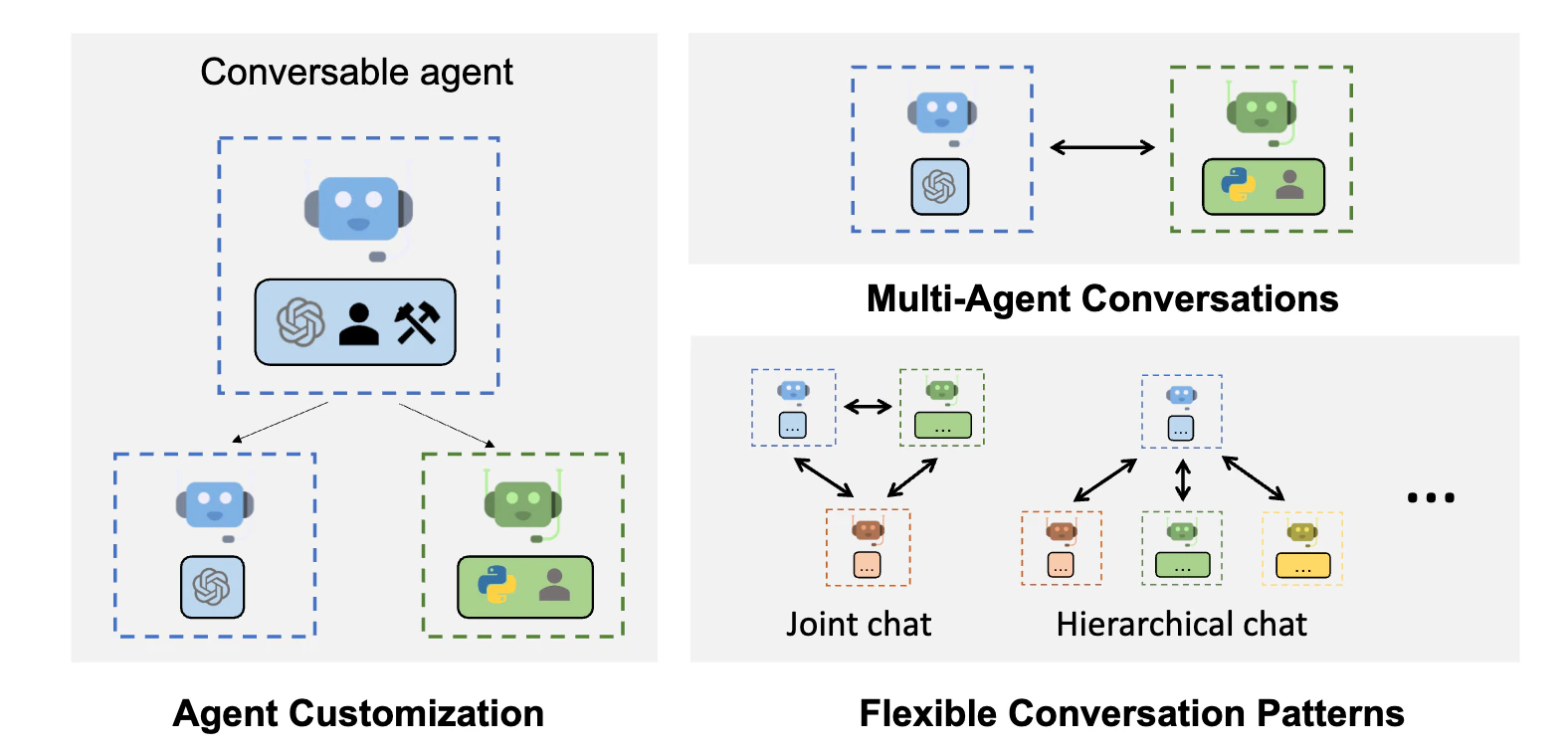
Autogen supports a concept of config\_list which allows definitions of the LLM provider and model to be used. Portkey seamlessly integrates into the Autogen framework through a custom config we create.
from autogen import AssistantAgent, UserProxyAgent, config_list_from_json# Import the portkey library to fetch helper functionsfrom portkey_ai import PORTKEY_GATEWAY_URL, createHeadersconfig_list = [ { "api_key": 'Your OpenAI Key', "model": "gpt-3.5-turbo", "base_url": PORTKEY_GATEWAY_URL, "api_type": "openai", "default_headers": createHeaders( api_key = "Your Portkey API Key", provider = "openai", ) }]assistant = AssistantAgent("assistant", llm_config={"config_list": config_list})user_proxy = UserProxyAgent("user_proxy", code_execution_config={"work_dir": "coding", "use_docker": False}) # IMPORTANT: set to True to run code in docker, recommendeduser_proxy.initiate_chat(assistant, message="Say this is also a test - part 2.")# This initiates an automated chat between the two agents to solve the task
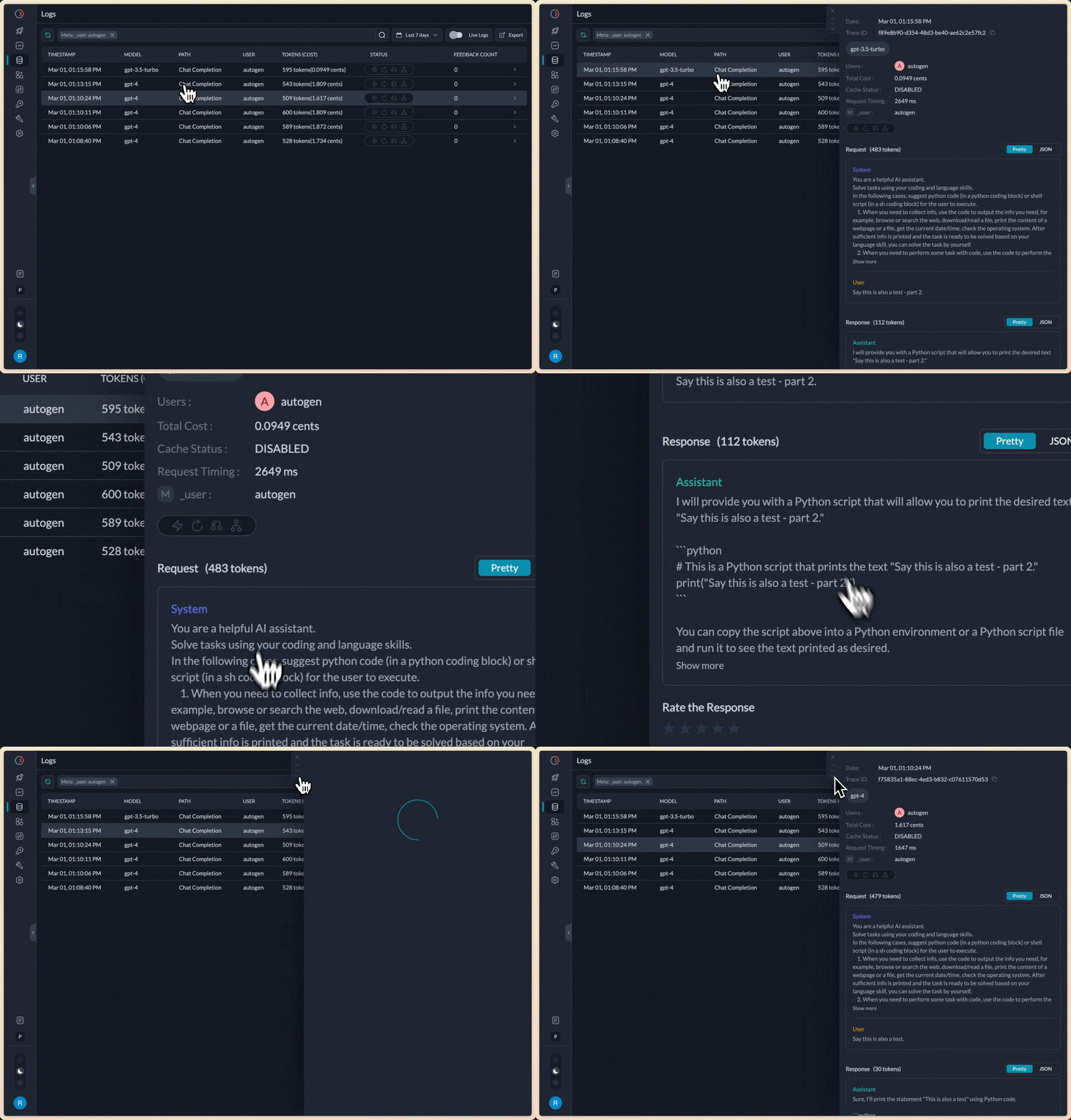
Notice that we updated the base_url to Portkey’s AI Gateway and then added default_headers to enable Portkey specific features.When we execute this script, it would yield the same results as without Portkey, but every request can now be inspected in the Portkey Analytics & Logs UI - including token, cost, accuracy calculations.
All the config parameters supported in Portkey are available for use as part of the headers. Let’s look at some examples:
Since Portkey seamlessly connects to 150+ models across providers, you can easily connect any of these to now run with Autogen.Let’s see an example using Mistral-7B on Anyscale running with Autogen seamlessly:
from autogen import AssistantAgent, UserProxyAgent, config_list_from_json# Import the portkey library to fetch helper functionsfrom portkey_ai import PORTKEY_GATEWAY_URL, createHeadersconfig_list = [ { "api_key": 'Your Anyscale API Key', "model": "mistralai/Mistral-7B-Instruct-v0.1", "base_url": PORTKEY_GATEWAY_URL, "api_type": "openai", # Portkey conforms to the openai api_type "default_headers": createHeaders( api_key = "Your Portkey API Key", provider = "anyscale", ) }]assistant = AssistantAgent("assistant", llm_config={"config_list": config_list})user_proxy = UserProxyAgent("user_proxy", code_execution_config={"work_dir": "coding", "use_docker": False}) # IMPORTANT: set to True to run code in docker, recommendeduser_proxy.initiate_chat(assistant, message="Say this is also a test - part 2.")# This initiates an automated chat between the two agents to solve the task
Virtual keys in Portkey allow you to easily switch between providers without manually having to store and change their API keys. Let’s use the same Mistral example above, but this time using a Virtual Key.
from autogen import AssistantAgent, UserProxyAgent, config_list_from_json# Import the portkey library to fetch helper functionsfrom portkey_ai import PORTKEY_GATEWAY_URL, createHeadersconfig_list = [ { # Set a dummy value, since we'll pick the API key from the virtual key "api_key": 'X', # Pick the model from the provider of your choice "model": "mistralai/Mistral-7B-Instruct-v0.1", "base_url": PORTKEY_GATEWAY_URL, "api_type": "openai", # Portkey conforms to the openai api_type "default_headers": createHeaders( api_key = "Your Portkey API Key", # Add your virtual key here virtual_key = "Your Anyscale Virtual Key", ) }]assistant = AssistantAgent("assistant", llm_config={"config_list": config_list})user_proxy = UserProxyAgent("user_proxy", code_execution_config={"work_dir": "coding", "use_docker": False}) # IMPORTANT: set to True to run code in docker, recommendeduser_proxy.initiate_chat(assistant, message="Say this is also a test - part 2.")# This initiates an automated chat between the two agents to solve the task
from autogen import AssistantAgent, UserProxyAgent, config_list_from_json# Import the portkey library to fetch helper functionsfrom portkey_ai import PORTKEY_GATEWAY_URL, createHeadersconfig_list = [ { # Set a dummy value, since we'll pick the API key from the virtual key "api_key": 'X', # Pick the model from the provider of your choice "model": "mistralai/Mistral-7B-Instruct-v0.1", "base_url": PORTKEY_GATEWAY_URL, "api_type": "openai", # Portkey conforms to the openai api_type "default_headers": createHeaders( api_key = "Your Portkey API Key", # Add your Portkey config id config = "Your Config ID", ) }]assistant = AssistantAgent("assistant", llm_config={"config_list": config_list})user_proxy = UserProxyAgent("user_proxy", code_execution_config={"work_dir": "coding", "use_docker": False}) # IMPORTANT: set to True to run code in docker, recommendeduser_proxy.initiate_chat(assistant, message="Say this is also a test - part 2.")# This initiates an automated chat between the two agents to solve the task